
Session Report
A VFR Short Hop in the G1000 Skyhawk
A returning simmer rebuilds the whole flow, from the ramp walkaround to a non-towered pattern entry
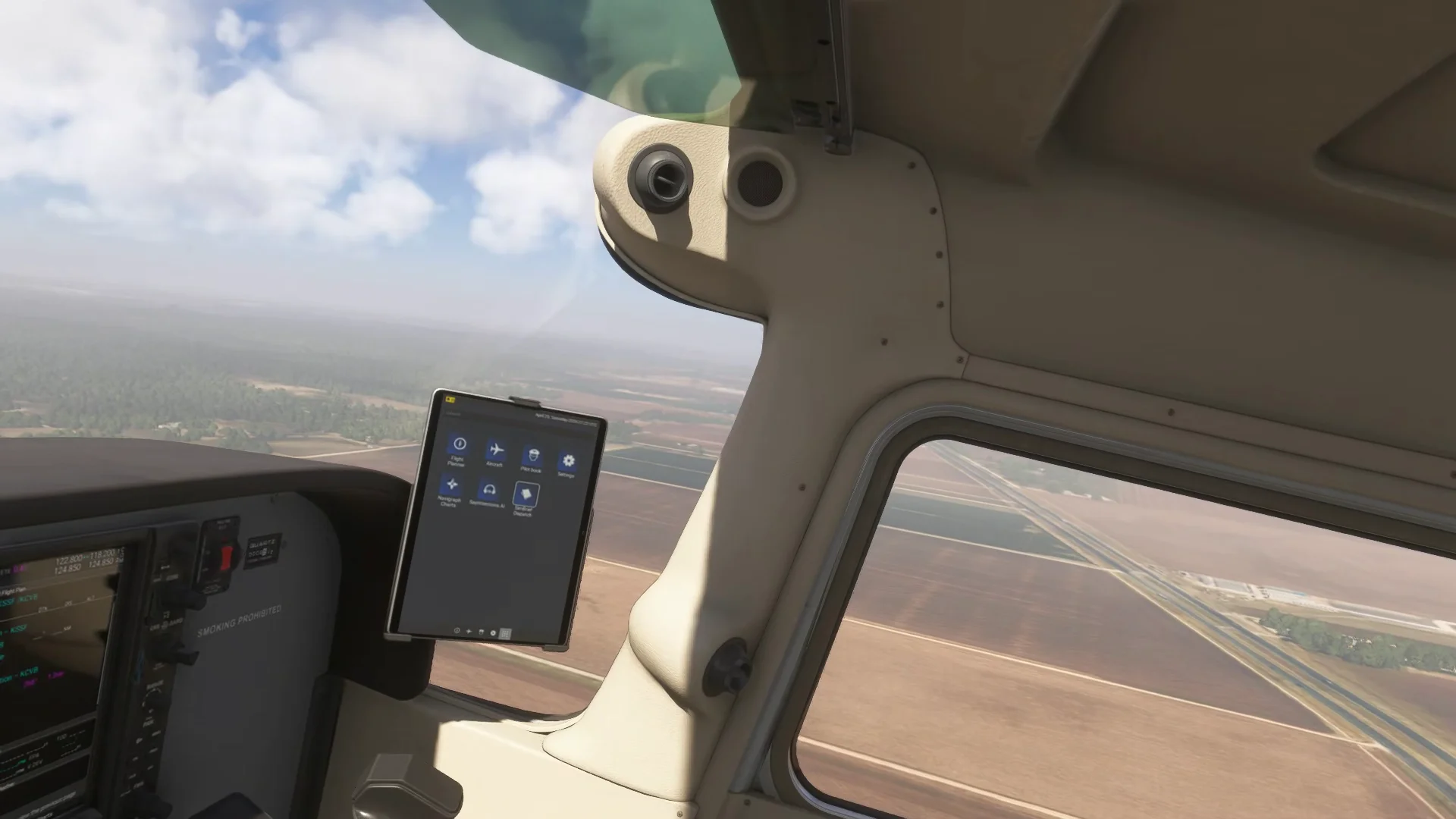
This session takes place in a Cessna 172 with the G1000 glass panel, in Microsoft Flight Simulator. Treat any procedures as an example, not as a checklist for your own flying. For your own setup, work from the actual Pilot's Operating Handbook for your aircraft and the avionics guide for your panel. Always confirm airspace, runways, and frequencies against current official charts.
A Returning Simmer Gets Back in the Seat
The student in this write-up (we'll call him Dale) is a studious home simmer. Between sessions he watches instructional videos, drills himself on subjects he knows are weak, and reads up on what is coming next in the simulator world. He had been hitting airspace especially hard.
What he had not been doing much of lately was flying. Instead of chasing some new goals, he wanted to review basic procedures starting from a cold and dark cockpit. Preflight, start, taxi, a short cross-country, and a landing at the other end.
His instructor for the session was Jordan Gottfried (CFI, CFII, MEI). The session was a mix of hands-on flying and some simulator setup work.
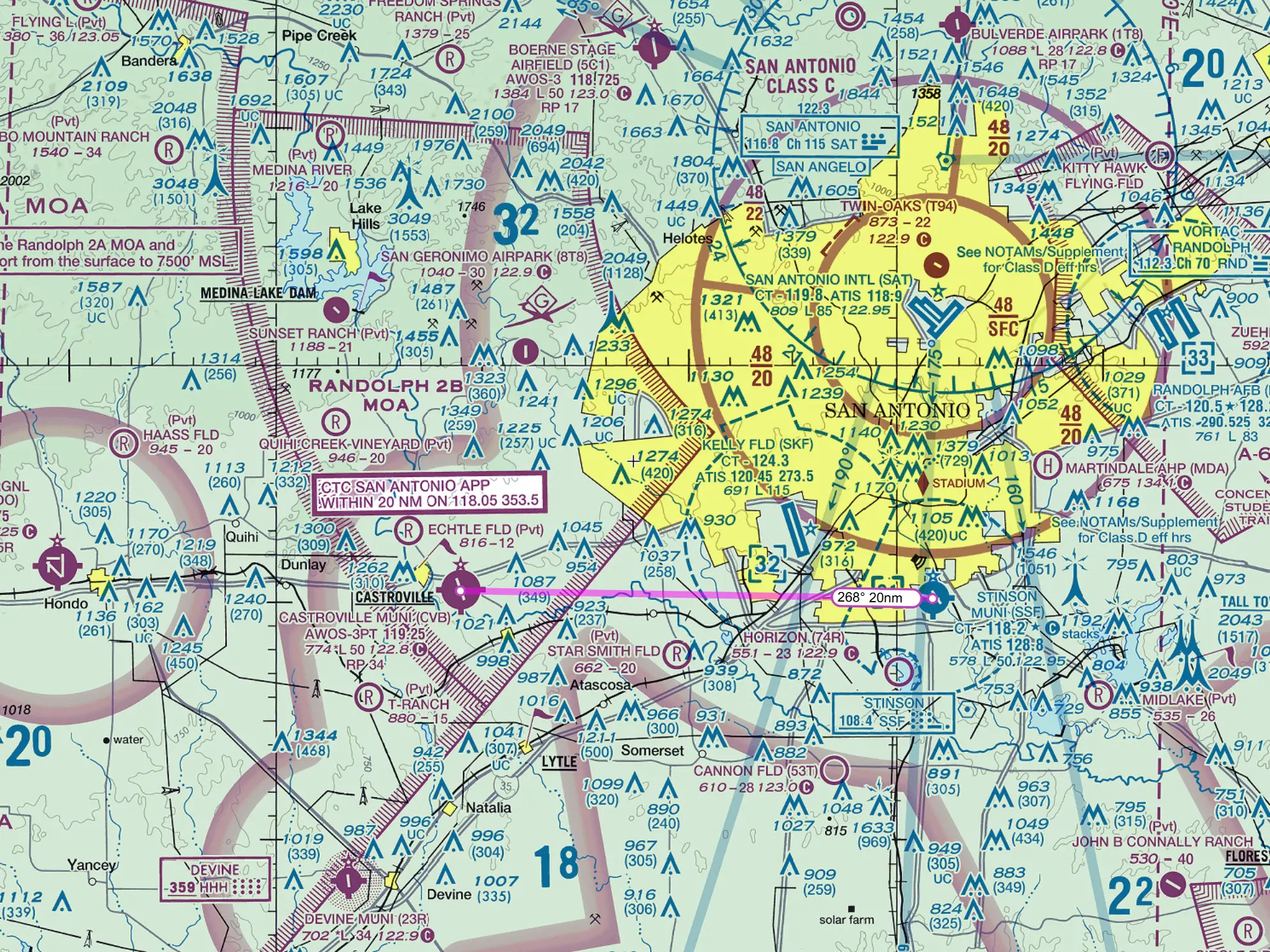
The route was a short one: depart Stinson, a towered field, and land at Castroville, a non-towered airport about twenty miles to the west. Short but not trivial. It would put Dale through a departure at a towered airport, a stretch of airspace to stay clear of, and an uncontrolled airport arrival.
They would start cold and dark, do everything in order, and have Dale talk his way through every step.
Inside this report
- Follow the Cessna 172 from preflight and a cold cockpit through departure, cruise, pattern entry, and landing
- Use weather, ATIS, headings, and the G1000 moving map while staying clear of nearby controlled airspace
- Watch the included flight video from downwind through touchdown, and read Jordan's explanation of what went wrong
- Pick up useful Microsoft Flight Simulator camera controls and a practical VR kneeboard setup
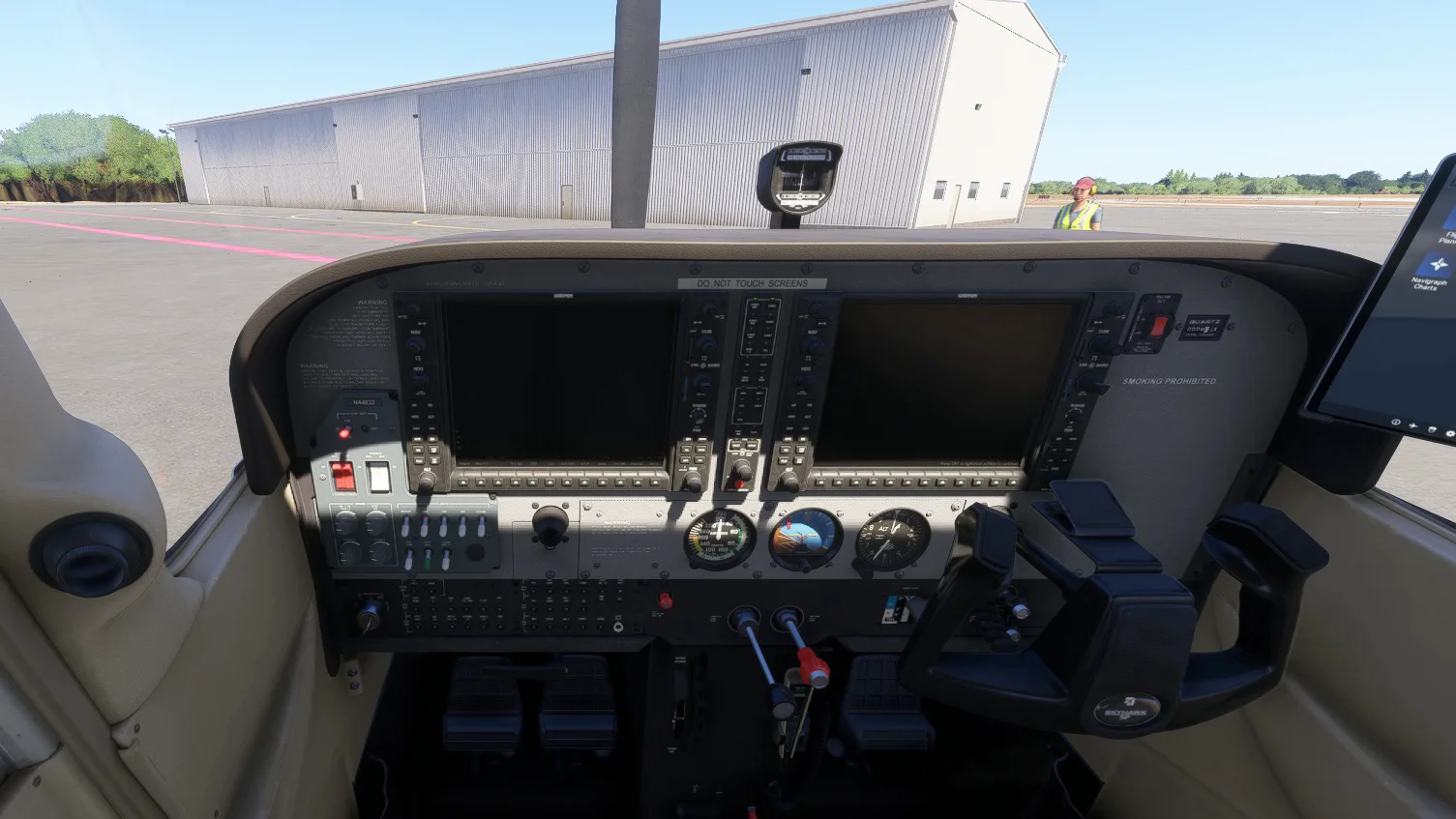
The Walkaround, Done in the Sim
Jordan had Dale start on the ramp rather than on the runway so they could run a preflight walkaround. It keeps the real-world habit alive even in the sim.
They worked around the airplane in order. They checked if the baggage door was locked. Moving back along the tail, you can wiggle the control surfaces to check them. (In real life, you do not grab the rudder up high, because that area is not reinforced. To move it and check the attach points and the trim tab, take hold of it down low where it can take the load.)
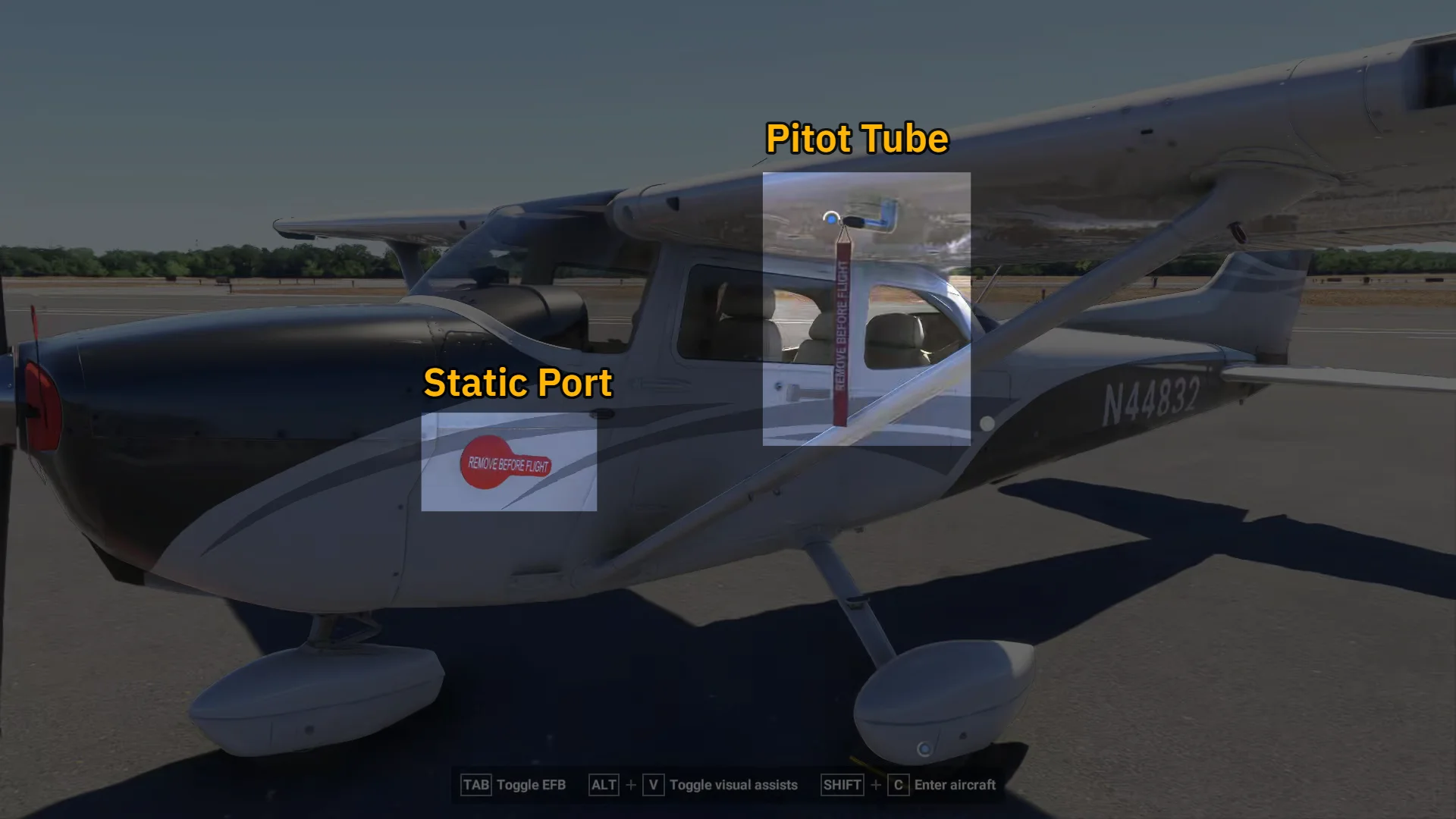
On the left side of the aircraft, they reached two small items. The first was the pitot cover, which has to come off because the pitot tube drives the airspeed indicator. The second was the static port, which led to the question: which instruments depend on that source?
The static port feeds the altimeter, the vertical speed indicator, and the airspeed indicator.
The pitot tube feeds only the airspeed indicator.
The walkaround finished off by removing the chocks. In Microsoft Flight Simulator 2024, the keyboard shortcut to hop into the airplane afterward is Shift + C.
Starting the Engine, and A Fuel Selector Gotcha
With Dale in the seat, they ran the engine start. Seat and belt set, parking brake set, circuit breakers in, fuel selector checked.
When you leave a Skyhawk parked on the ramp (after landing), the POH has you set the fuel selector to a single tank rather than to both. With the selector on both and the airplane parked even slightly wings-low, fuel can migrate from the higher tank into the lower one through the selector's shared plumbing, and on uneven ground it can eventually drain overboard through a tank vent. Setting the selector to one side closes off that path.
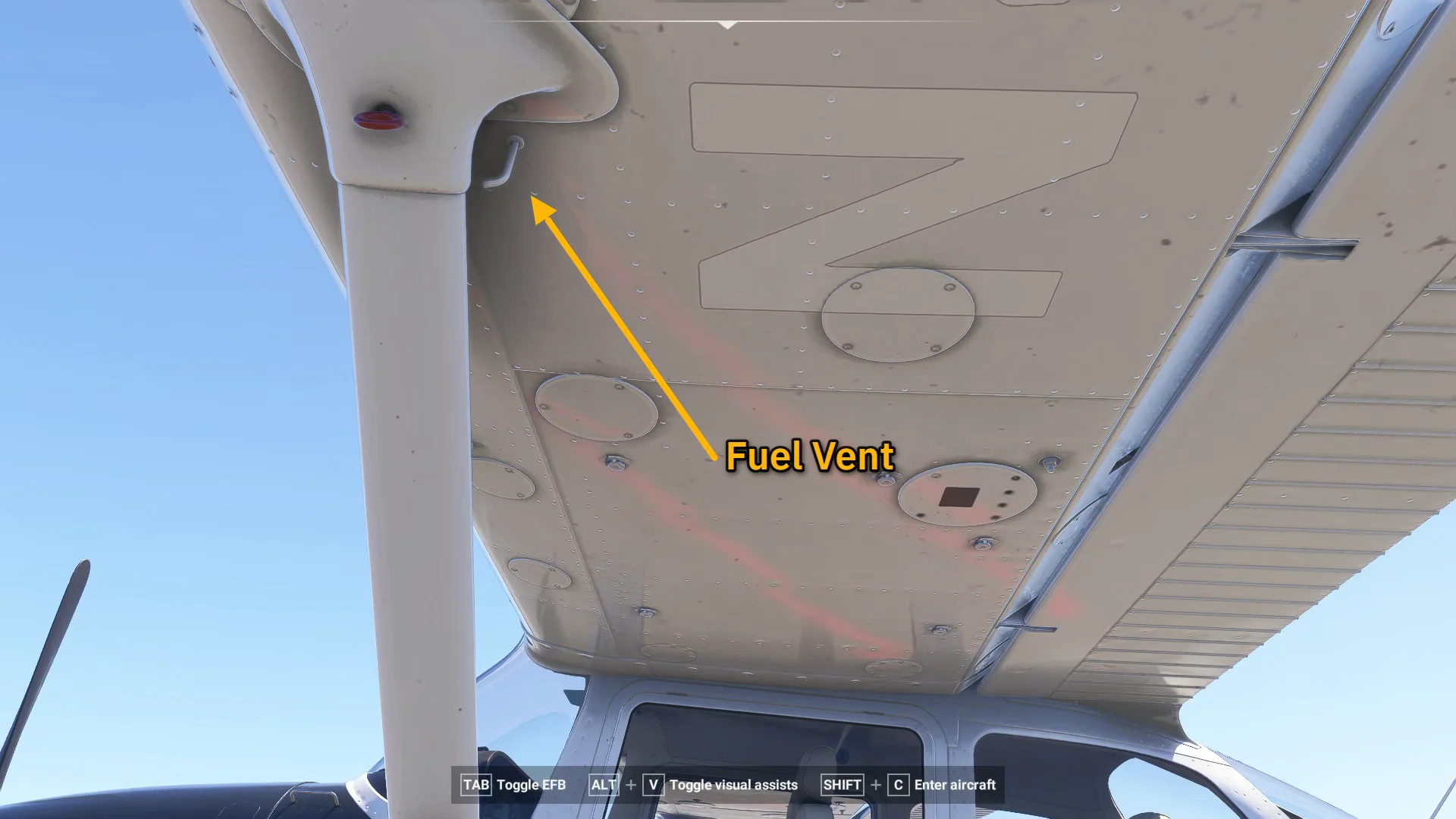
From there they primed and started. The electric fuel pump goes on while you watch for fuel flow. The mixture comes full rich and then back.
The throttle should be cracked only about a quarter inch open for start. Any more and the engine RPM jumps the moment the engine fires. With the magneto turned to start and the mixture advanced to rich as the engine caught, it fired right up and settled onto both magnetos.
Once running, the routine was to set around 1,000 RPM and check the engine instruments:
Oil pressure up
Oil temperature in the green range, or at least rising from cold
Vacuum and fuel quantities reading sensibly
This helps confirm the engine is healthy before you start moving.
FSC Pro
Read the full session report
The complete report, the session library, and every guide are part of FSC Pro.
Continue on FSC ProBased on a real Flight Sim Coach coaching session, used with the client's consent. The client's name has been changed.